See it in action
From raw floor plan to measured GLA
Upload any floor plan and get every perimeter measurement with total size.
Upload a plan, trace the perimeter, and set one known dimension. PlanSnapper gives you the exact number. No printing, no ruler, no CAD.
🔒 Secure checkout · 48-hour money-back · Pro subscription cancels anytime
Upload any floor plan and get every perimeter measurement with total size.
Verify rentable and usable square footage on commercial leases. Cross-check listing accuracy. Catch discrepancies in landlord documents before you sign. Used by tenant reps, leasing brokers, and commercial real estate professionals.
Verify a home's square footage before you buy, refinance, or appeal a property tax assessment. Catch discrepancies between blueprints, builder documents, and what the listing claims.
Get GLA, perimeter, and individual wall lengths from any to-scale image. ANSI Z765 compliant for residential. Works on MLS screenshots, architect plans, CubiCasa, and Matterport exports.
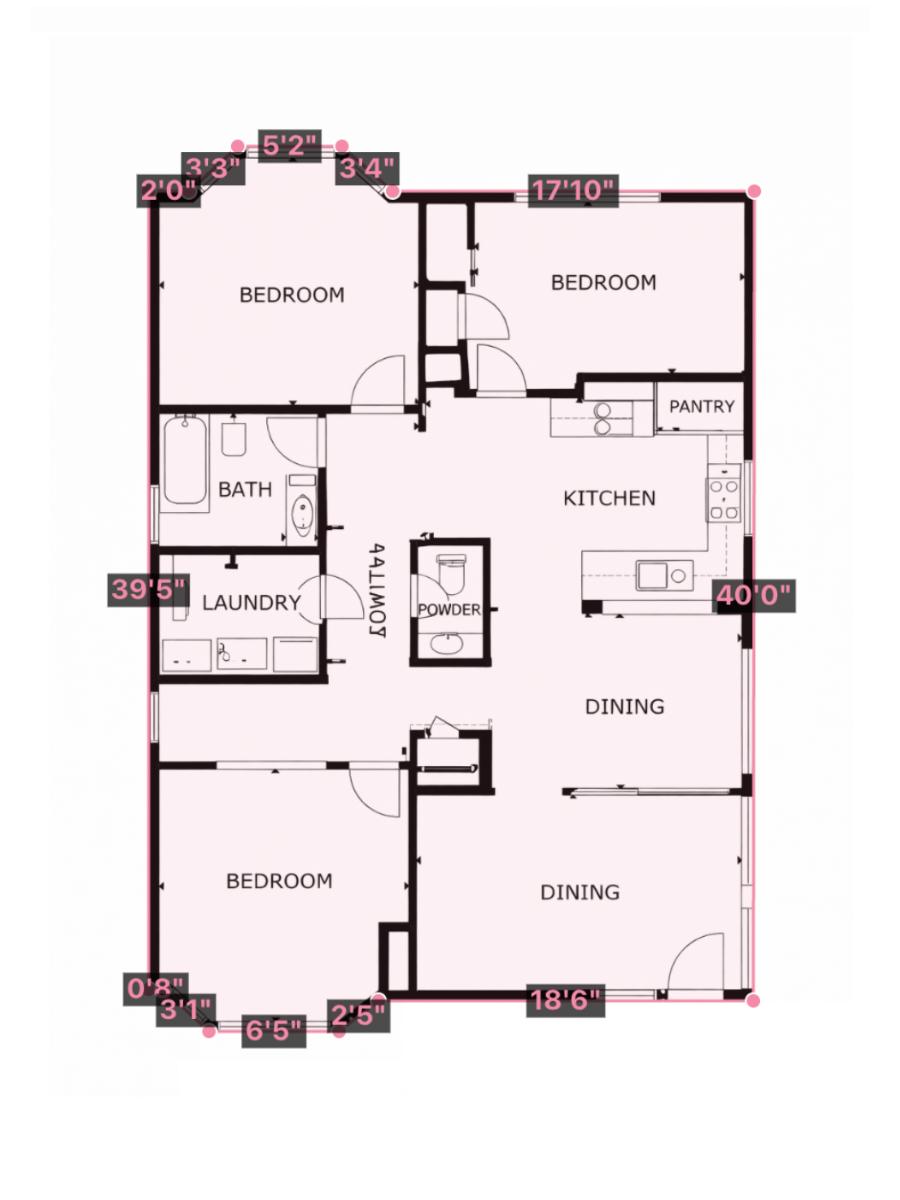
CubiCasa, Matterport, builder exports. Any clean digital floor plan works perfectly.
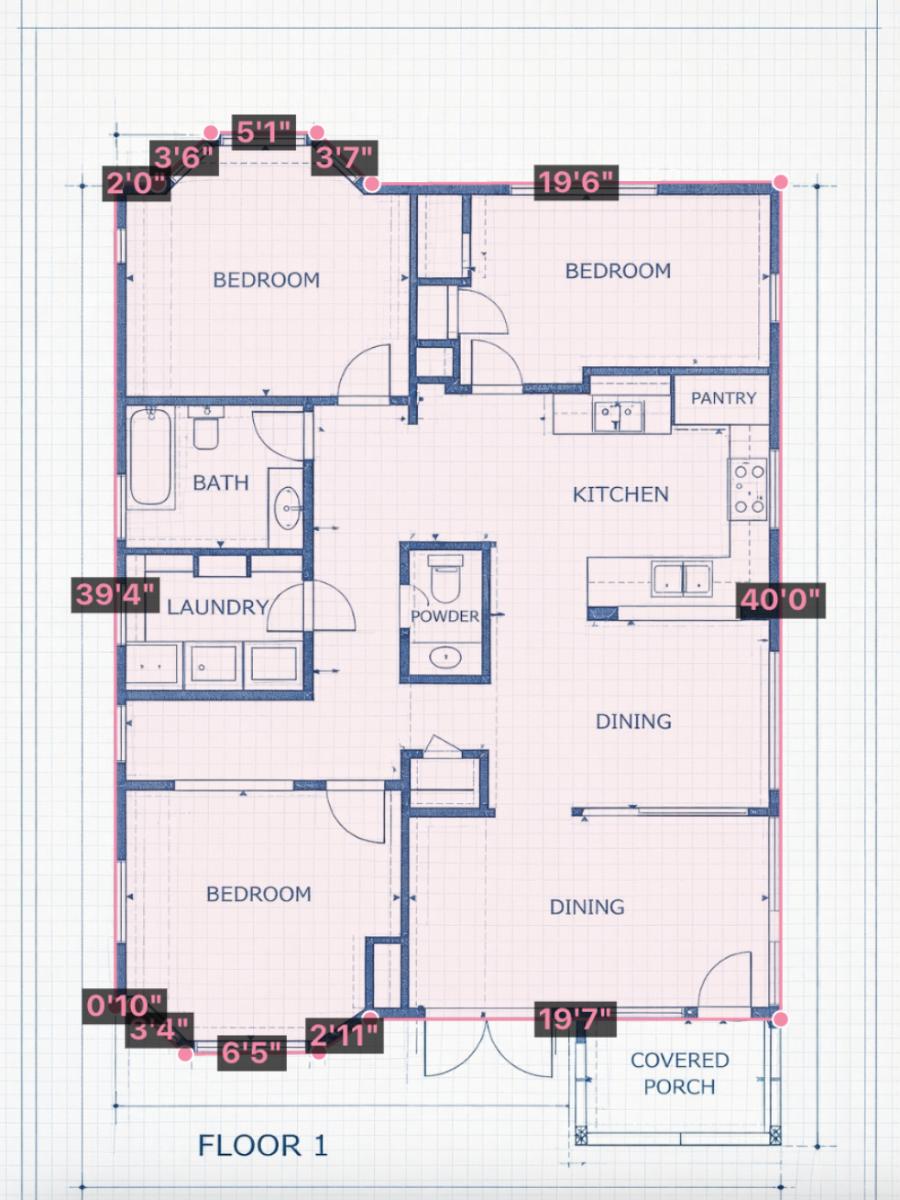
Scanned or photographed construction drawings. If it's to scale, PlanSnapper can measure it.
Crop the floor plan from the listing photos. If it's drawn to scale, PlanSnapper can measure it.
Floor plans are everywhere. Architects produce them. Builders hand them out. MLS listings include them. Prior appraisals already have them.
But the dimensions sometimes aren't. To get the number you measure by hand, hire someone, or trust whatever figure came with the listing.
If you have a to-scale image, you already have everything you need. PlanSnapper does the rest.
The alternative
Measuring by hand takes 30 minutes. PlanSnapper takes about 5.
One known wall length is all you need.
Screenshot it from the MLS, export it from CubiCasa or Matterport, or photograph a printed plan. Any to-scale image works.
Click around the exterior walls to outline the area you want to measure. Use the magnifier loupe for precision and close the polygon when you reach the start.
Click two points on any wall you know the length of. PlanSnapper calibrates from there and gives you GLA, perimeter, and wall lengths in feet and inches, ANSI-compliant. Need to exclude a garage or porch? Add a second polygon and it comes off automatically.
Pricing
One floor plan or many? Get 24-hour access or go unlimited.
Billed $348/yr · ~3 months free
No setup or downloads required · Instant access after checkout
Verify it yourself in minutes. Upload your floor plan, set one wall length, and get the exact square footage.
Upload your floor plan🔒 Secure checkout · 48-hour money-back · Pro subscription cancels anytime

